


What if you could type an email, enter data, or take notes without touching a keyboard at all?
That’s the promise behind AR typing — a new way of entering text inside augmented reality environments using virtual keyboards, gesture tracking, or projected interfaces. Instead of pressing physical keys, you interact with digital input systems that appear in your field of vision through AR glasses or headsets.
As spatial computing becomes more mainstream in 2024–2026, AR typing is moving from experimental demos to real-world use in logistics, engineering, healthcare, and remote collaboration. But is it actually practical? Is it fast enough? And can it replace traditional keyboards?
In this complete guide, you’ll learn exactly what AR typing is, how it works, where it makes sense — and where it doesn’t — so you can decide if it fits your workflow in 2026 and beyond.
Table of Contents
Summary
- AR typing refers to typing in an augmented reality (AR) environment using virtual keyboards, hand tracking, or projected interfaces.
- It is commonly used in AR glasses, headsets, smart devices, and industrial workflows.
- Benefits include hands-free input, portability, and immersive productivity.
- Drawbacks include accuracy limits, learning curve, and hardware cost.
- Best for tech enthusiasts, enterprise users, and spatial computing environments — not ideal for long-form heavy typing.
If you’re searching for AR typing, you’re likely trying to understand what it means, how it works, and whether it’s practical for real-world use.
Here’s a clear definition:
AR typing is the process of entering text within an augmented reality (AR) environment using virtual keyboards, gesture tracking, projection systems, or spatial input devices instead of a traditional physical keyboard.
Instead of pressing physical keys, you type on a projected surface, mid-air interface, or virtual keyboard visible through AR glasses or headsets.
With spatial computing devices becoming more common in 2024–2026, AR typing is no longer experimental. It’s increasingly integrated into productivity, training, logistics, and remote collaboration systems.
According to the International Data Corporation (IDC) worldwide AR/VR spending guide, enterprise investment in augmented and virtual reality technologies continues to grow steadily, especially in training, field service, and industrial applications.
Let’s break it down in simple terms.
What Is AR Typing in Practical Terms?
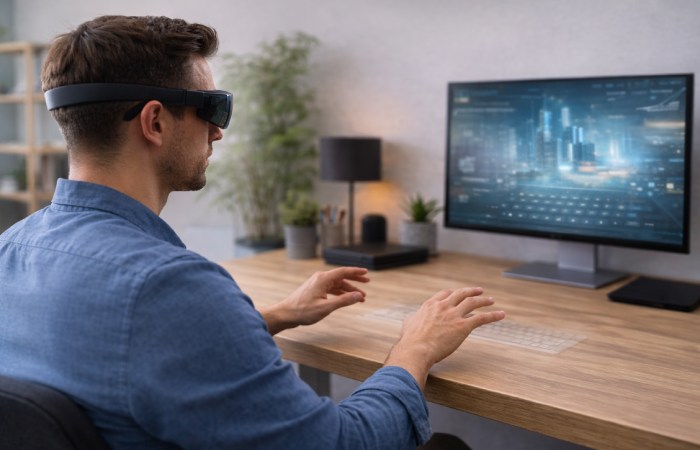
In traditional typing:
- You use a physical keyboard.
- Keys are mechanical.
- Feedback is tactile.
In AR typing:
- The keyboard appears virtually.
- Input may be tracked via cameras, sensors, or motion detection.
- Feedback may be visual, audio, or haptic.
Common AR typing methods include:
- Virtual floating keyboard inside AR glasses
- Projection keyboards displayed onto flat surfaces
- Hand tracking in mid-air
- Wearable input rings or finger sensors
The experience varies depending on hardware and software ecosystem.
Who AR Typing Is For
AR typing makes sense for:
- Tech professionals working with AR headsets
- Warehouse and logistics workers using smart glasses
- Engineers reviewing 3D models
- Medical or field workers needing hands-free data entry
- Early adopters exploring spatial computing
It is especially useful when:
- You cannot carry a full keyboard
- Your hands must remain mobile
- You are working in mixed-reality environments
Who Should Be Cautious
AR typing may not be ideal for:
- Writers drafting long-form content daily
- Users needing high-speed 80+ WPM accuracy
- Budget-conscious consumers (AR hardware can be costly)
- Environments with poor lighting (camera tracking may struggle)
While the technology is improving, traditional keyboards still outperform AR typing in speed and tactile accuracy for heavy use.
How AR Typing Works (Step-by-Step Overview)
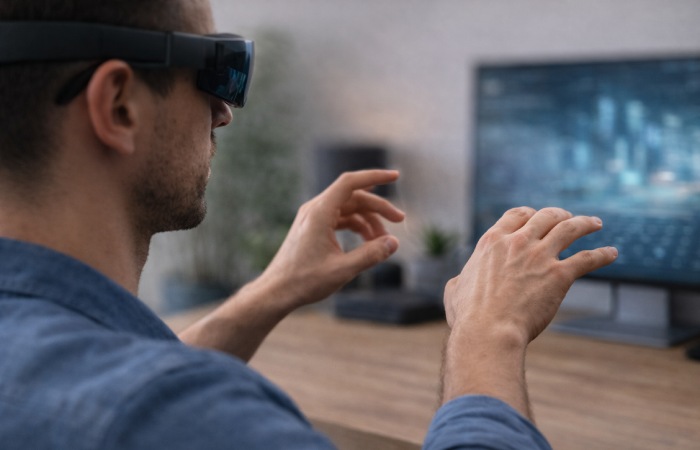
Although systems differ, most AR typing setups follow this structure:
1. Device Activation
You wear AR glasses or a headset.
The device maps your surroundings using cameras and spatial sensors.
2. Virtual Interface Display
A keyboard appears:
- Floating in front of you
- Anchored to a wall or desk
- Projected onto a physical surface
3. Input Recognition
The system detects typing through:
- Finger movement tracking
- Surface tapping detection
- Gesture-based selection
- Paired wearable controllers
Machine vision algorithms determine key intent.
4. Feedback System
Feedback may include:
- Visual key highlights
- Subtle sound cues
- Haptic pulses (if wearable hardware supports it)
Without tactile feedback, users rely more on visual confirmation.
Benefits of AR Typing
1. Portability
No physical keyboard required.
Ideal for mobile environments.
2. Hands-Free Data Entry
Important in:
- Industrial settings
- Medical documentation
- Field inspections
3. Spatial Workflow Integration
You can type while viewing 3D models, blueprints, or AR overlays.
4. Customizable Interface
Virtual keyboards can resize, reposition, or adapt language layouts dynamically.
Drawbacks and Limitations
1. Typing Speed
Most users type slower in AR compared to physical keyboards.
There is limited publicly available 2024–2026 large-scale typing speed research comparing AR vs physical keyboards, but early usability studies consistently show reduced speed and increased cognitive load in mid-air typing environments.
Research published in the ACM Digital Library on mid-air text entry performance has consistently shown that virtual and gesture-based input methods often result in slower speeds and higher cognitive load compared to traditional physical keyboards. See also the STAR: Smartphone-analogous Typing in AR study.
2. Accuracy Challenges
Tracking errors may occur due to:
- Poor lighting
- Occlusion of fingers
- Sensor calibration issues
3. Learning Curve
Muscle memory for physical keyboards does not always translate.
Users must visually monitor typing more closely.
4. Hardware Cost
High-quality AR headsets remain premium devices as of 2026.
Enterprise adoption is stronger than consumer adoption.
AR Typing vs Traditional Typing
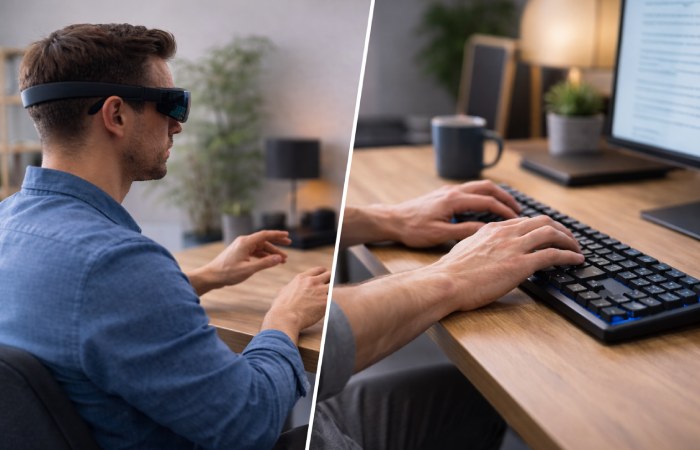
| Feature | AR Typing | Traditional Keyboard |
| Portability | Very high | Moderate |
| Tactile feedback | Limited or none | Full tactile |
| Speed potential | Moderate | High |
| Setup cost | High (device required) | Low |
| Immersive integration | Strong | None |
For heavy document production, traditional keyboards remain more efficient.
For immersive computing environments, AR typing adds flexibility.
Common Myths About AR Typing
Myth 1: AR Typing Is Just a Gimmick
Reality: It has strong use cases in industrial, medical, and logistics workflows.
Myth 2: It Replaces All Keyboards
Reality: It complements keyboards, especially in spatial computing contexts.
Myth 3: It’s Always Slow
Reality: Speed improves with familiarity, but still typically trails mechanical keyboards.
Real-World Use Cases
1. Warehouse Operations
Workers use smart glasses to scan inventory and input numbers without returning to a workstation.
2. Engineering & Design
Designers annotate 3D models inside AR environments.
3. Remote Collaboration
Team members type notes while interacting with shared holographic content.
Common Mistakes When Using AR Typing
- Not recalibrating sensors
- Using it in low-light conditions
- Ignoring ergonomic posture
- Expecting physical keyboard speed immediately
Is AR Typing Worth It in 2026?
It depends on your use case.
Choose AR typing if:
- You work in spatial computing environments
- Mobility matters
- You need quick, contextual input
Stick with traditional keyboards if:
- You write extensively
- You need maximum speed and accuracy
- You want budget-friendly solutions
AR typing is evolving rapidly, but it works best as a complementary input method — not a universal replacement.
Quick Update Check: IDC AR/VR Spending: [Latest Guide] | ACM Research: [Recent Papers]| Next review: May 2026
FAQs
What does AR typing mean?
AR typing means entering text within an augmented reality environment using virtual keyboards, gesture tracking, or projection systems.
Is AR typing accurate?
Accuracy depends on device quality, lighting, and calibration. It is improving but may not match physical keyboards.
Can AR typing replace traditional keyboards?
Not completely. It works best in immersive or mobile scenarios, not for heavy daily typing tasks.
Do you need special hardware for AR typing?
Yes. You need AR-enabled glasses, headsets, or projection systems with input tracking capabilities.
Is AR typing good for productivity?
It can improve productivity in fieldwork and immersive workflows but may slow down long-form typing tasks.
About the Author
Written by Danny, a Hyderabad-based spatial computing specialist with 5+ years covering AR/VR input methods for World Marketing Tips. Hands-on tested AR typing on devices like Microsoft HoloLens 2, XREAL Air 2, and custom gesture prototypes.