
Home Blog Page 8

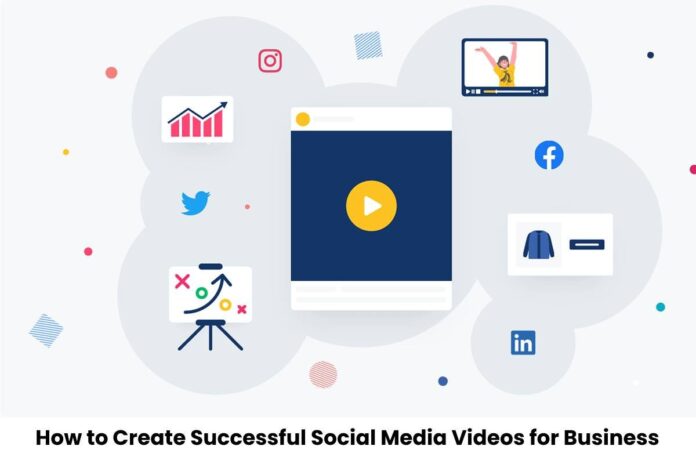
How to Create Successful Social Media Videos for Business

0

According to Zenith’s Online Video Forecasts 2019, an average person spends 100 minutes a day watching videos. Businesses need to take note of this if they plan to develop their video marketing strategy on different social media platforms.

The good news is that there are many ways to create successful social media videos for businesses. Here’s an effective 7-step guide from video production company, Dream Engine.

1. Set your goals

Before you start creating video content, identify what do you want to accomplish. List down a few goals so that you don’t get overwhelmed. For example, one goal can be to create brand awareness.

For some business owners, they create lots of how-to videos to educate customers on how to use the products they’re selling. By setting your goals, you can establish clear calls to action in your video content strategy.

2. Handpick your social media platforms

Every social media platform has its own way of creating videos. For instance, Facebook offers live videos, while newer ones like TikTok and Snapchat rely heavily on a single format.

If your business hasn’t created video posts on any platform, try to start with the ones where you’ve already established an audience. Another important consideration when picking a platform is to understand what they offer and the type of videos that can be displayed. This is crucial as this can affect your social media marketing strategy if you plan to repurpose your videos later on. It’s best to pick social media platforms that work well with each other.

3. Determine the type of video

People spending more time on most social media platforms brought about the creation of many types of videos. This doesn’t mean where the videos are placed, but the type of video that works best for your overall social media strategy.

Keep in mind that not all videos are the same, what’s most important is to choose the type that supports your goals. Here are a few samples and their benefits:

  • Educational – These relay information and create brand awareness for new customers.
  • Entertaining – These can be unexpected pranks, cute puppies, or even jokes which serve solely to entertain the audience.
  • Interviews – These usually come with a guest speaker and are a great way to introduce an audience to a new influencer.
  • Testimonials – These contain customer testimonials or highlights to help create social proof for your business.

4. Plan the video production

Before you start creating videos, plan the content production to save time and money. You need to establish how your social media video will be created and filmed. You can either hire an agency like Dream Engine to avoid stress or do it yourself with a team of experts from your organization.

Remember that if you plan to do everything in-house, you’ll have to consider a lot of things. This includes but is not limited to:

  • Gather needed video recording equipment and props
  • Write and edit scripts
  • Create a storyboard
  • Plan the shoot
  • Coordinate with the right people to include in your video
  • Identify appropriate locations where you’ll film
  • Check if all the music that will be included is licensed

5. Allocate time for post-production

Even if you’re just doing short videos, you should still allow time for post-production. This is important if your videos are going to be used for ads or any other that requires heavy editing.

Post-production doesn’t only involve cutting scenes, it also includes important additions like closed captions, call-to-actions, and text overlays. The more polished you want your videos to look for your social media users, the more time you need.

Know what you’re getting yourself into before filming. Formal videos on YouTube will require a lot of work than a basic Facebook live stream.

6. Publish and promote videos

Once you’ve completed the video and feel confident about it, you can publish and start promoting. Just because you’ve published your video on Facebook and YouTube doesn’t mean it’s a one-and-done.

You can actually divide your videos and upload them to other various social media platforms over a month-long period. For example, on Twitter, you can promote as many times as you like. On the other hand, for live streams, you’ll have to promote often so that many people will join once you start the stream.

One filming session can produce many videos. You can use different clips for promotion, or splice them together to create another video that can help increase audience engagement.

7. Track metrics

The last step is to analyze the results of your video’s performance. You won’t be able to identify if it’s a success without looking at the statistics. How many times did your audience watch videos? How many likes, shares, and comments did you get?

With just a few clicks, each platform gives you a set of metrics that you can use. Upon analyzing the metrics, it should match the goals you set at the start. So if your goal was brand awareness, your CTA should include a link for viewers to learn more about your business. This means the matching metric should show an increase in link clicks.

You’re all set! We hope this 7-step guide to creating successful social media videos gives you great results in your marketing efforts.

What are Public Relations? And its Benefits?

0

Public relations (often abbreviated as PR) remain a certain type of corporate communications that, coordinated and sustained over time, seek to strengthen the strategic links between a company or organization and its stakeholders.

In other words, it is communication management that seeks to maintain the relationships between the organization and its external interlocutors in the best possible state. Doing this provides them with information, exchange opportunities, and fosters the so-called loyalty (preferential client relationship).

similarly, Public relations constitute a set of strategies of different types. Its objective is to promote, sell, promote, or make its interests known to its clientele and the general public in a planned way. Therefore, he uses techniques and concepts typical of marketing and design and sociology, psychology, politics, and journalism.

Public relations is also a self-contained discipline and field of study. The Austrian-American publicist and inventor Edward Bernays (1891-1995) invented them in the early 1900s. Its importance during the Great Depression that began in 1929 was significant as a mechanism to claim business work and its contribution to the economic system.

Definition of Public Relations

According to some authors and scholars of the subject, we can define public relations as:

Although, A characteristic managerial function that helps establish and maintain lines of mutual communication, understanding, acceptance, and cooperation between an organization and its audiences; It involves the management of problems or issues, it helps managers stay informed and sensitive to public opinion; defines and emphasizes the responsibility of managers to serve the public interest; it helps managers stay ahead of changes and use them effectively, understanding them as a warning system to anticipate trends” (Rex Harlow).

The managerial function that establishes and maintains mutually beneficial relationships between an organization. And the public on which its success or failure depends” (Scott Cutlip and Allen Centre).

The administrative function that evaluates public attitudes identifies an organization’s policies. And procedures with the public interest and executes a program of action and communication to generate public understanding and acceptance” (John Marston).

Functions and Objectives of Public Relations

Public relations interests are very diverse and distinct, but we can roughly summarize them as follows:

Manage corporate or organizational identity. It means that PR ensures that the different departments of the company use the same language and project a unified image of it to the public. Which implies:

Management of external communications. In other words, everything that leaves the organization and remain consumed stay the client or the general public.

Management of internal communications. That is how the parts of the company communicate with each other.

Management of public opinion.  Such as press monitoring, strategic consultations, Internet and social media management, strategic marketing, etc.

Corporate social responsibility. Thus, the organization’s commitment to the community of which it remain a part stay known. Not only as a way of projecting a positive image of its work and its vision and mission. But also as a mechanism to give back to society part of the resources that the company obtains from it.

Although, Event organization. PR often achieve their objectives by producing and organizing various types of events, fairs, invitations, celebrations, etc.

Importance of Public Relations

Although, Public relations are an inseparable part of business and organizational practice today. Also,They can be a way of bringing companies closer to their public or a mechanism to “humanize” some large corporations whose operation is more like that of a machine.

Of course, this can involve ethically questionable work. Such as washing the face of companies whose economic activity is irresponsible or harmful. In other cases, it may be part of the communication strategies of a positive organization that would not otherwise be as well known and would not receive enough support and visibility.

Everything you need to understand about the benefits related to RASP- Runtime Application Self-Protection

0
Everything you need to understand about the benefits related to RASP- Runtime Application Self-Protection

Any application in the modern-day world is perfectly deployed in the complex and fragmented environment in between the optimum combination of network, operating system, and databases. Usually, this leads to fragmentation in the application security architecture in combination with the preference and full-proof security map which is the main reason that taking the RASP security element very seriously is important. Instead of addressing the design flaws in the applications it is always very important on the behalf of developers to adopt the starting and traditional application security approaches so that complexity in the security threats will be easily eliminated. So, to ensure that things are very well sorted out people need to introduce RASP- Runtime Application Self-Protection from the house of the best companies.

What do you mean by RASP- Runtime Application Self-Protection? 

RASP- Runtime Application Self-Protection is the innovation in the application security ecosystem in combination with the entire system so that everybody will be able to deal with the runtime attacks very easily on the software application layer. Eventually, this will help provide people with visibility into the hidden vulnerabilities very well and essentially this is a security system that will be integrated with the application in the runtime environment. Constantly this will be intercepting the calls to the application to check out the security very seriously. The RASP- Runtime Application Self-Protection security system will never be waiting for the threat to impact the application rather it will be proactively dealing with the malware in the incoming traffic so that things are very well done in the right direction from the execution perspective.

What are the details you need to know about working on RASP- Runtime Application Self-Protection? 

In a very simple sense, RASP- Runtime Application Self-Protection is a server-related technology that will be activated as soon as the application runtime begins further this means that it can be triggered by installing and integrating the functioning calls inside the source code of the application. However, the majority of people will prefer the usage of trigger calls within the code base in such a manner that a customizable security system has been paid attention to. The efficient layer of RASP- Runtime Application Self-Protection will be sitting side-by-side within the application coding in such a matter that it will monitor the incoming traffic to the server so that the application programming interface of the application will be sorted out. Upon the detection of any kind of threat factors, people need to apply things in the right direction so that measurement and security of the application from the malpractices will be very well done without any impact on the overall performance.

Some of the top advantages associated with the introduction of RASP- Runtime Application Self-Protection have been very well explained as follows:

  1. Very intelligent penetration testing system: With the introduction of RASP- Runtime Application Self-Protection you will be able to conduct effective penetration testing very easily so that detection and elimination of the vulnerabilities will be very proficiently done. As mentioned earlier the software can be easily designed to detect the anomalies and respond accordingly so that things are very well sorted out and everybody will be able to easily program and test multiple sections very conveniently. Things in this particular case will be based upon contextualized services very well so that information from the court base will be protected without any problem.
  2. Very smart incident response: RASP- Runtime Application Self-Protection technology will help enable people with smart and fast incident response which makes sure that due to the in-depth visibility into the application run everybody will be able to carry out things very well. The entire concept of this particular case will be based upon active security logging features because the developers in this particular case will be getting real-time data of the behavior within the application. Further, this will help improve the monitoring capabilities very easily and eventually will help make sure that things will be done in the right direction without any problem.
  3. Helpful in improving the visibility into the runtime attack: Traditionally across the globe, the developers were unable to collect the runtime application security data which is the main reason that security architecture was designed based upon the speculations. A significant number of changes are perfectly introduced with the integration of RASP- Runtime Application Self-Protection System because it has been highly successful in empowering the developers with very high extensive visibility into the application runtime security events so that everyone will be able to enjoy the alignment to the development. Things in this case will be based upon real-time events very precisely so that there is no chance of any kind of problem and everything will be proficiently done in the right direction.
  4. Supporting the compliance development: In addition to providing security, RASP- Runtime Application Self-Protection technology perfectly helps in supporting the development perspective of the application applications very easily and further with in-depth testing as well as real-time data, everybody will be able to effortlessly identify the prime attacking assets as well as challenges. So, things in this particular case will be proficiently sorted out so that everybody will be able to develop more secure and compliant applications very easily and further these challenges in this particular case will be few every time.
  5. Legacy application protection: Legacy applications are very valuable assets for any organization however with modern-day advancement, protecting the legacy application is not at all easy. Since the majority of the legacy applications are developed in very old format, it becomes very difficult to completely make them foolproof in terms of security from the perspective of new modern threats. So, the introduction of the RASP- Runtime Application Self-Protection security is important because it will help resolve issues very easily and also help in providing people with advanced-level security features without any problematic scenario at any point in time.

Apart from the points mentioned above, the introduction of the RASP- Runtime Application Self-Protection is advisable to be taken into account because it will help improve the developer training very easily and also provides people with comprehensive alignment with the development and deployment without any problem. So, in the introduction of the best possible options of RASP- Runtime Application Self-Protection is the need of the year so that there will be a bare minimum impact on the overall performance and the best of the security solutions will be perfectly taken into account.

Is A New York Web Development Company the Right Move for Your Business?

0
Is A New York Web Development Company the Right Move for Your Business_

Okay, so you’ve decided to launch a website for your business. That being said, any website would not do when it comes to the internet. Your website needs to work well, and you want people to visit it. That is something that only a skilled web designer can do. This is why:

First Impression Matters

You’ve probably heard the saying before: the first impression you make is the only one you get. People who might buy from your business usually get their first opinion of it from your website. From the start, a well-designed website can give the idea of professionalism and trust.

The way your site looks and works is the first thing people will notice about your business, so make sure that first impression counts. If you want to get people to visit your site, a professional designer knows how to make it look good from the start.

Brand Specific Approach

People who use themes and build their own websites know that they can only do so much. This method often results in standard and stereotypical layouts that don’t fit with the attitude of the brand. A professional designer will take the time to get to know your customers, your business, and your goal.

They come up with a unique way to design that fits the image of your business and gives your website a look that no one else can copy. This is a great strategy for building a strong identity for the web presence.

Great User Experience

Another important thing that determines whether a website is popular or not is how well it works. An expert designer knows how to make a site that is beautiful and functional.

They stress the importance of making clear navigation choices that make it easy for visitors to move around your site. When people have a good user experience, they stay longer, click on more links, and the bounce rate goes down. This leads to higher conversion rates. In simple terms, it’s about making the user’s experience as smooth as possible.

Responsive Design

Given the current emphasis on mobile devices, responsive web design is no longer an option; it’s an absolute must. You can be sure that your site will look and work great on any device if you choose a flexible design. This includes computers, tablets, and phones.

People who work as web designers know how to make websites that work on any device, no matter what size or format it is. Not only does it make customers happier, but it also helps your search engine ranking because Google likes websites that work well on phones. Discover more here https://www.entrepreneur.com/growing-a-business/vrooom-why-website-speed-matters/281986.

SEO

It makes no difference how beautiful your website is if no one can find it or access it. The most important thing is to get traffic, and search engine optimization (SEO) is the only way to do that.

Professional web designers know how important search engine optimization is, so they always follow the best ways to do it. They check your site for errors and make sure it has the right code, keywords, and meta tags. All of these things help your search engine ranking, which means that potential customers can easily find your business.

Cost-Effectiveness

Although some may think they can save money by building their own website with a DIY tool, hiring a professional designer may end up being more cost-effective. Building a website from scratch can take a lot of time, which you could use to work on your business.

People who are skilled designers will make the site faster and better than people who are not. Making sure your website works well also lowers the chances of having problems and having to spend a lot of money fixing them later. When you think about the standard and performance it gives, the money you spend is not wasted.

Access to the Latest Technology and Trends

Perhaps you’re already aware of the fact that web design is a very dynamic subject, and that new technology and trends emerge and disappear as time passes. Business professionals who specialize in website design work around the clock to stay ahead of the competition in the industry and to construct your website using the most recent technologies.

This includes everything from new programming languages and tools to fresh design styles and features that make things easier to use.

Consistency

You should be aware that a website is one of the most important elements of your branding initiative. For instance, a web development New York service makes sure that all your webpages complement your brand image and feel cohesively connected. How amazing is that?

They always work on the consistency of the color schemes and typography, imagery, and messaging to represent your brand personality and values. This consistency helps to reinforce the identity of your brand and develop confidence among the visitors.

Competitive Advantage

In the modern world, it is necessary for a website to have a good design to enable it to compete with the rest in the market.

Any site that is professionally designed has to conform to industry standards. It may include unique features, original solutions, or original content that can benefit your site. On the whole, it can be of great value for the gaining and retaining customer patronage. You can also check out this page for more.

Insights and Analytics

In order to make future business decisions with confidence, the ability to monitor critical usage indicators is essential. In addition, the majority of experienced designers offer research and advice regarding the performance of your website.

Through their assistance, you will be able to measure some of the most significant factors, such as the behavior of visitors, conversion rates, and the sources of traffic. In other words, it indicates that you are able to make strategic adjustments based on the data that is provided to you in order to optimize your website and accomplish your business goals.

How to Easily Add Page Numbers to Your PDF File Online

0
How to Easily Add Page Numbers to Your PDF File Online

Ever written a scientific study in Word and then turned it to PDF, only to discover that you neglected to include page numbers? Or even received a PDF file for an eBook you’re editing only to realize that there are no page numbers? Don’t fret, they aren’t weird stories since they can be solved in a short time.

To begin, rather than opening the source file and altering the full content, it’s simpler to simply add it to the PDF file. You may use an online application to insert page numbers into PDF, irrespective of how many pages they have. You will save energy and be more successful in handling your duties this way. Using an online PDF application, such as PDFBear, which is a reputable platform and can be used for a variety of activities, is one of the most effective ways of inserting page numbers into your PDF file.

Adding Page Numbers on PDFBear

Including page numbers in your PDF documents centralizes your content and information. It could even help a PDF document recognizable, professional, and appealing. This task is simple to complete with the help of reliable online tools like PDFBear which is the most straightforward approach. Simply use its Add Page to PDF Tool and you’re good to go! PDFBear is an online platform that allows users to alter their PDF documents, including adding page numbers. PDFBear’s page numbering process is really easy to understand. You will have no problems or difficulties adding page numbers to any PDF you have. It is straightforward, free, and easily available over the internet.

Here’s How to Do It

PDFBear is not just reachable on any device, but it is also quick and free. All you have to do is go to their webpage and make the necessary changes. Once you’re on the site, go to the top menu and select Tools, then below the View & Edit PDF section, select Number Pages.

When you click, you will be taken to the tool’s section. From there, simply take these four basic steps. First, choose the PDF file on your storage to which you wish to add page numbers. You can also drag the file from your computer or phone into the space allotted on the page. Second, PDFBear will analyze and submit your document automatically and effortlessly. When the page is loaded, you can move the page number to anywhere you like it to be. Following that, you may specify where to begin the page order. When you’re finished adjusting the options, hit “Number Pages” and wait for it to complete. You can then download the latest version and save it on your device.

Perks of Using PDFBear

Based on the quality of your Internet access, this procedure will be done in as little as two minutes. If no problems arise, you will receive the changed file in a matter of seconds. Apart from the simplicity and speed of delivery, there are other benefits to utilizing PDFBear to insert page numbers into your PDF file. and the following are a few examples.

Excellent File Security

PDFBear safeguards your personal information and privacy. All papers submitted to their website are protected using strong SSL encryption and will only be utilized for the purpose you asked for. It will also be removed from their system within an hour of the operation is completed.

Accessible to All

PDFBear works with any Internet browser, including Internet Explorer, Google Chrome, Safari, Microsoft Edge, and Firefox. As a result, you will find it easier to use any features on the site, whether you are using it for schooling or work. The system is designed to be browser-friendly. PDFBear works with all OS systems. You can use all of the platform’s features and capabilities whether you’re using a Windows, Mac, or Linux device. You don’t have to worry about switching devices or looking for a decent PC.

PDFBear’s online PDF editor for adding page numbers is available only online. Consequently, you can use any web browser on your machine to utilize this program. There is no need to be concerned because you can use whichever internet browser you wish when utilizing this online PDF editor. It ensures that you can change the page numbers in your document. It will offer you options for font and page number placement to ensure that the overall document maintains its attractive formatting and structure.

          User-Friendly

PDFBear ensures that the procedure of adding page numbers to PDF is comprehensive. As a result, the method it employs should be more than able to precisely numbering your PDF pages. You can even choose where to put the page numbers as its PDF editor allows you to adjust typeface and position at the same time. PDFBear provides free, full access to this online PDF editor. As a consequence, adding page numbers to any PDF is not only fast, easy, and basic, but it is also free for all who have stable internet access.

          PDFBear and PDFBear PRO

PDFBear PRO is a monthly subscription to PDFBear’s paid version. Users who join this paid membership will have unlimited and full access to this PDF editor. Of course, you can always add page numbers to any PDF for free, but only a certain amount of times, unlike the PDFBear PRO which is available for $5.99 a month.

You can insert page numbers to your PDFs in a safe and comfortable platform regardless of which PDFBear membership you pick. You will not have to be concerned about any invasion of rights or privacy. PDFBear ensures that its users have complete privacy with their PDFs as well as other data and information.

In a Nutshell

This free PDF editor from PDFBear is your safest bet for inserting page numbers into any PDF you have on hand. It’s the finest option because it’s the simplest and easiest way to add page numbers. Who knew you could add page numbers to a PDF file online? PDFBear makes this process easily accessible online and in only four basic steps.

In comparison to other online PDF editors, it is merely more intuitive, easy, and reliable. It’s also more user-friendly because you can quickly add page numbers with only a few keystrokes. All PDFBear requires is that you submit the PDF, and it will take care of the rest.

The Ultimate Guide to Link Building: Strategies That Actually Work

0

Link building is one of the most crucial aspects of search engine optimization (SEO) and digital marketing. Simply put, it’s the process of getting other websites to link back to your site. The more high-quality backlinks you have, the higher your website will rank on search engine results pages (SERPs). However, link building is not as simple as just getting a bunch of links. There are many strategies you can use, and some are more effective than others. In this article, we’ll explore some of the most effective link building strategies that actually work.

Guest Blogging

Guest blogging is the process of writing content for other websites in exchange for a link back to your website. It’s a win-win situation for both parties involved. The website owner gets high-quality content for their site, and you get a valuable backlink. When looking for guest blogging opportunities, make sure you choose sites that are relevant to your industry or niche.

Broken Link Building

Broken link building involves finding broken links on other websites and offering to replace them with your own link. This strategy works because broken links are bad for user experience and can negatively impact a website’s SEO. You can use tools like Check My Links or Broken Link Checker to find broken links on other websites in your industry or niche. Once you’ve found a broken link, reach out to the website owner and offer to replace it with a link to your content.

Skyscraper Technique

The Skyscraper Technique is a content marketing strategy that involves creating high-quality, informative, and unique content that is better than what is currently available on the web. Once you’ve created your content, reach out to websites that are linking to similar content and offer them your superior content in exchange for a link. This strategy works because people are more likely to link to content that is valuable and informative.

Infographic Outreach

Infographic outreach involves creating high-quality infographics and sharing them with other websites in your industry or niche. Infographics are a great way to present complex information in an easy-to-understand format. When sharing your infographic, make sure to include an embed code that allows other websites to easily share it on their site. This strategy works because infographics are highly shareable and can generate a lot of backlinks.

Resource Page Link Building

Resource page link building involves finding resource pages on other websites in your industry or niche and requesting that your website be added to the list. Resource pages are pages that provide links to other websites that are relevant to a particular topic. When reaching out to website owners, make sure to provide them with a compelling reason why your website should be added to their resource page.

0Skimming Your Competitors’ Backlinks

Skimming your competitors’ backlinks involves using tools like Ahrefs or SEMrush to analyze the backlinks of your competitors. Once you’ve identified their backlinks, reach out to the websites linking to your competitors and offer them a better resource or content in exchange for a link. This strategy works because these websites have already shown an interest in linking to websites in your industry or niche.

In conclusion, link building is a crucial aspect of SEO and digital marketing. There are many strategies you can use to build high-quality backlinks, but not all strategies are created equal. The strategies outlined in this article are proven to work and can help you build a strong backlink profile that will improve your website’s search engine ranking. If you would like to know more about this topic we highly encourage you to visit this press release by Equote.

What is Nonprofit Marketing? And How does it Work?

0

Do you have any idea what nonprofit marketing is? Well then; Starting from the basic concept of marketing (according to Wikipedia, it is the process of developing strategies and planning products or services; advertising, promotion and sales; to reach a specific market segment).

This definition tells us that marketing is an essential discipline for any organization, whether public or private, be it commercial or nonprofit.

The marketing nonprofit, also known as nonprofit marketing or NPO for English vocabulary, is One of the others to obtain your donations or get an active volunteer.

Although deep down, the marketing strategies are the same for both organizations, messages must be adapted. I was directing and focusing them on the benefits of being charitable without seeking to make a profit.

It is a great challenge for organizations to launch a nonprofit marketing strategy. However, the feeling of help that is being provided is gratifying.

Also read: What is a Pillar Page? And How it Impacts SEO?

Aspects to Consider in a Nonprofit Marketing Campaign

The first thing we must consider is that nonprofit marketing is based on two fundamental elements: all

Capture and get users for the services offered.

Recruit and retain volunteers who support the organization’s activity with their time or financial contributions.

Both segments should be treated as if they were customers; therefore, to achieve the proposed objectives. It would be best if you used all the tools you have at hand. In this way, an excellent nonprofit marketing strategy can be established.

Undertake a Nonprofit Marketing Strategy

As in any business, you are ensuring success requires extensive planning. So you will have to follow specific steps that will take you directly to your goal.

Determination of your Goals

You have to design a solid structure that you can continue to execute, establishing basic principles and clearly defining the objectives you want to achieve.

Analysis of Your environment

To know what terrain you are treading and what chances of success you have in your market; It is necessary to carry out an exhaustive analysis of the context in which you will move, that is, an analysis of all the groups of possible interested in your services.

Fundraising

In this step, as indicated, fundraising is more relevant. It is obtaining resources at the lowest cost.

Evaluation of Results

Upon reaching this level, you will be able to take stock of finances and evaluate the results you have obtained; Thus, you will determine which aspects of the campaign did not meet expectations and which ones did. In any case, at this point, you can decide which ones to reuse in future campaigns.

Generally speaking, these are the fundamental aspects you should consider when proposing to carry out a nonprofit marketing strategy.

How to Optimize Images for SEO: 5 Tips That Actually Work

0

Images are not just visual decoration — they are a significant ranking factor, a Core Web Vitals driver, and a standalone search channel that delivers measurable organic traffic. Google Images delivers 22.6% of all web traffic, and Google Lens processes over 12 billion visual queries per month. Despite this, image optimization remains one of the most overlooked areas of technical SEO.

Research shows that images are featured on 37.81% of SERPs. Businesses that ignore image SEO are leaving a substantial share of that visibility on the table.

This guide covers the five most impactful ways to optimize images for SEO, grounded entirely in current Google guidelines, Core Web Vitals research, and industry data — not guesswork.

Why Image SEO Matters for Organic Rankings

Since images typically comprise 50 to 90 percent of page weight, optimization delivers the most significant performance gains. Proper image optimization can dramatically improve loading speed, often reducing page load times by 50 to 70 percent for image-heavy pages.

Images contribute significantly to a website’s page weight, with desktop images averaging over 1,000 KB out of a total of 2,315 KB — that is nearly 50%. On mobile, images account for almost 900 KB out of 2,020 KB.

The number one search result receives 27.6% of all clicks and is 10 times more likely to receive a click compared to the 10th spot. Only 0.63% of users click anything on the second page of results. Page speed — which image optimization directly influences — is a confirmed Google ranking factor, making image SEO a direct lever for search performance.

5 Ways to Optimize Images for SEO

1. Use Clear and Descriptive Image File Names

When possible, use filenames that are short but descriptive. For example, my-new-black-kitten.jpg is better than IMG00023.JPG. Avoid using generic filenames like image1.jpg, pic.gif, or 1.jpg when possible.

Include a target keyword in the filename to improve search engine visibility, but avoid keyword stuffing. Keep filenames short with keywords at the beginning to make them easily identifiable. Use descriptive and relevant words to help with search engine indexing, and make every word count — do not include stop words such as “a”, “the”, “and”, or “in”.

One practical consideration: once Google crawls your images, it will not re-crawl them for a while, so there is no point in changing existing filenames after the fact. Optimize filenames before uploading.

If your site serves international audiences, when you localize your images, remember to also translate the filenames, keeping the URL encoding guidelines in mind if you are using non-Latin or special characters.

2. Write Keyword-Rich Alt Text and Image Titles

The most important attribute when it comes to providing more metadata for an image is the alt text — text that describes an image — which also improves accessibility for people who cannot see images on web pages, including users who use screen readers or have low-bandwidth connections. Google uses alt text along with computer vision algorithms and the contents of the page to understand the subject matter of the image.

Be descriptive and relevant to help search engines and users. Avoid “picture of” or “photo of” as they add unnecessary words. Use keywords naturally to enhance SEO without keyword stuffing. Keep it concise to ensure clarity and relevance. Use specific language — for example, “Honda Civic” instead of “car” — to provide detailed information.

Avoid using text in images. It does not meet accessibility guidelines as screen readers cannot read it.

When an image is used as a link, be sure to include alternate text relevant to the link’s destination to enhance the user experience.

3. Choose the Right Image Format: WebP and AVIF Are the Current Standard

The original article’s recommendation to use only JPEG and PNG is outdated. Google now supports and actively recommends modern next-generation formats.

AVIF delivers 50% smaller files than JPEG at equivalent quality. WebP provides 25 to 35% savings with near-universal browser support.

WebP has 95% browser support, while AVIF is supported by around 92%.Both formats are now widely supported across modern browsers, making them the practical standard for web image delivery in 2026.

The optimal strategy is to leverage each format where it makes sense. For most sites, this means using AVIF whenever maximum compression or quality is needed, and falling back to WebP for broad compatibility.

To serve both formats with a legacy fallback, use the HTML <picture> element:

html

<picture>

<source srcset=”image.avif” type=”image/avif” />

<source srcset=”image.webp” type=”image/webp” />

<img src=”image.jpg” alt=”Description of the image” width=”1200″ height=”800″ />

</picture>

You can use the Squoosh web app to convert your images to these formats. For WordPress sites, WordPress introduced AVIF support in 2024 on version 6.5, and the Modern Image Formats plugin enables the use of WebP and AVIF image formats for media uploads.

JPEG and PNG still have a role: use JPEG for photographs where legacy compatibility is critical, and PNG only when transparency is required and WebP is not supported.

4. Compress Images and Set Correct Dimensions to Protect Core Web Vitals

Image optimization directly impacts three of Google’s Core Web Vitals metrics — Largest Contentful Paint (LCP), Cumulative Layout Shift (CLS), and Interaction to Next Paint (INP).

Largest Contentful Paint measures how quickly the main content of a web page loads. Images should load in under 2.5 seconds. Cumulative Layout Shift measures visual stability — images that change size while loading cause layout shifts. Prevent this by always setting explicit image width and height attributes.

If the width or height attribute is not set, the browser does not know how much space to reserve for the image during rendering and will reserve 0 pixels for any missing dimension — causing visible layout shifts as the page loads.

Experts generally recommend an image width of about 1200 pixels. Ensure images are high-resolution, as images can appear in many different ways on the search result page — a small thumbnail, a larger preview, within a carousel — so you want images that look good no matter how Google manipulates them.

For Google Discover specifically, use large images at least 1200 pixels wide with the max-image-preview directive. Hero images should be a minimum of 1000 pixels wide with a 16:9 aspect ratio.

For compression tools, TinyPNG specializes in compressing PNG and JPEG files and achieves file size reductions of up to 70% while preserving transparency in PNGs. JPEGmini optimizes JPEG images and reduces file sizes by up to 80%. Google’s PageSpeed Insights is the recommended tool for auditing image performance on your specific pages.

5. Use Lazy Loading, Image Sitemaps, and Structured Data

Lazy Loading

Lazy loading is a web development technique that delays the loading of non-critical resources on a webpage — such as images, videos, or scripts — until they are actually needed by the user. This approach prioritizes the initial loading of essential content while deferring the loading of secondary elements until they come into the user’s view.

Modern browsers support native lazy loading through a single HTML attribute: loading=”lazy”. However, there is one critical rule: you should always avoid lazy loading the LCP element. If a browser has a chance to download the LCP element early during the rendering process, the image will be available to the browser as early as possible and the browser can start painting that element early.

Use fetchpriority=”high” and <link rel=”preload”> for your hero images. Lazy-loading the LCP image is one of the most common performance anti-patterns.

As of 2024, only just above 30% of images use lazy loading — making it one of the easiest performance improvements available to most websites.

Consistent Image URLs

Google has updated its image SEO best practices with guidance on using the same URL when sharing images across a website. If an image is referenced on multiple pages within a larger website, consistently reference the image with the same URL so that Google can cache and reuse the image without needing to request it multiple times.

Image Sitemaps

You can provide the URL of images Google might not have otherwise discovered by submitting an image sitemap. Submitting a dedicated image sitemap ensures Google discovers and indexes all your images, not just those linked from crawled pages — this is critical for eCommerce sites with thousands of product variants.

Structured Data for Images

If you include structured data, Google can display your images in certain rich results, including a prominent badge in Google Images, which gives users relevant information about your page and can drive better targeted traffic to your site. In each of these structured data types, the image attribute is a required field to be eligible for a badge and rich result in Google Images.

By providing structured data, you are helping Google understand the images on your pages. Follow Google’s General Structured Data Guidelines and use the Rich Results Test tool to check if your page supports rich results.

How Image Optimization Affects Page Speed and Core Web Vitals

A good LCP score is 2.5 seconds or less. Websites meeting Core Web Vitals benchmarks see lower bounce rates and higher rankings. Improving LCP can boost conversions by up to 12% for every second saved.

Converting images to WebP or AVIF delivers 25 to 50% savings in page weight. In 2024, roughly 30% of images served use WebP, and fewer than 5% use AVIF — meaning the majority of websites have not yet captured the full performance benefit of modern image formats.

As of May 2024, only 62.1% of websites pass the LCP assessment, leaving room to outpace the competition by meeting the “Good” threshold.

Best Free Tools to Optimize Images for SEO

Several tools are widely used and recommended for image optimization:

Squoosh — Google’s open-source web app for converting and compressing images to WebP and AVIF formats, with a visual quality comparison tool built in.

TinyPNG / TinyJPG — Specializes in compressing PNG and JPEG files, achieving file size reductions of up to 70% while preserving transparency in PNGs. Supports batch processing and offers API access for automation.

Google PageSpeed Insights — Provides mobile and desktop Core Web Vitals scores along with specific recommendations for image and page optimization.

WordPress Plugins — For WordPress sites, plugins like ShortPixel, Imagify, or Smush automatically compress and convert images to optimal formats.

CDNs with Automatic Optimization — Content delivery networks like Cloudflare or Cloudinary offer automatic image optimization and delivery.

Common Image SEO Mistakes to Avoid

Using CSS background images for important content. Google does not index CSS images. Use standard HTML image elements — Google can find images in the src attribute of the <img> element.

Loading images via JavaScript without fallbacks. Execution of on-page JavaScript and rendering often happens later than the first wave of indexing. If lazy loading is set up with an event listener rather than with IntersectionObserver, the JavaScript may never be triggered during Googlebot’s page render.

Using stock photos for featured images. Search engines like Google rank unique images more highly than stock photos found on multiple sites.

Keyword-stuffing file names or alt text. Avoid keyword stuffing in alt text as it results in a negative user experience and your content may be perceived as spam.

Not setting image dimensions. Always specify explicit width and height attributes on every image to prevent Cumulative Layout Shift, which is a confirmed Core Web Vitals ranking signal.

Frequently Asked Questions About Image SEO

What image format is best for SEO in 2026? WebP and AVIF are the 2026 standard. AVIF delivers 50% smaller files than JPEG at equivalent quality, and WebP provides 25 to 35% savings with near-universal browser support.Use the <picture> element to serve AVIF with a WebP fallback and JPEG as the final fallback for older browsers.

What is alt text and why does it matter for SEO? Alt text is text that describes an image and improves accessibility for people who cannot see images on web pages, including users who use screen readers or have low-bandwidth connections. Google uses alt text along with computer vision algorithms and the contents of the page to understand the subject matter of the image.

Should I lazy load all images? No. Lazy loading should only be applied to images below the fold — images that are not immediately visible when a page first loads. Lazy-loading the LCP image is one of the most common performance anti-patterns and should be explicitly avoided. Use fetchpriority=”high” on your hero or LCP image instead.

Do image file names affect SEO? Yes. According to Google Images Best Practices, descriptive, keyword-rich file names are vital for improving your site’s ranking in search engines. They provide search engines with context and improve the chances of your images appearing in image search results.

What is an image sitemap and do I need one? You can provide the URL of images Google might not have otherwise discovered by submitting an image sitemap.It is particularly important for large eCommerce sites or any website where images are loaded dynamically and may not be easily discovered by crawlers through standard HTML links alone.